
Add Polls to your newsletters to collect reader feedback, measure engagement, and learn what your audience cares about.

Most newsletters go out into the world with no way to hear back. Editors guess what readers liked or skipped, and strategy ends up driven by open rates instead of real feedback.
With Polls, Letterhead makes it easy to ask questions, collect responses, and see results, all without leaving your newsletter. It’s a simple, powerful way to turn passive readers into active participants. This launch is just one step in our goal to make Letterhead a true Newsletter Operating System: a place where you create, improve, and experiment in the name of high-quality newsletters at scale.
Why we built Polls
Audience feedback has always been valuable, but for most teams, it’s hard to collect without breaking the reading experience. External surveys add friction, with manual links that require extra tools and tracking.
Polls solve that by putting interaction directly inside your newsletter. Readers can answer instantly, and you can see the results inside Letterhead, giving you engagement, connection, and data all in one place. Every response helps you understand what your audience cares about, which stories resonate, and where to take your content next.
How it works
We’ve made it easy to drag and drop a poll block into any newsletter, all without needing code or external tools. Choose a poll type (single selection, quiz, or feedback scale), write your question, and set up your responses. Each poll appears inline in your newsletter and can be configured to show results instantly after submission or redirect readers to a thank-you message.
Polls are created and managed at the organization level, so once you build one, it can be used across any channel. You can run the same poll in multiple newsletters, compare responses by edition, and see total results aggregated across your organization, all in one dashboard.
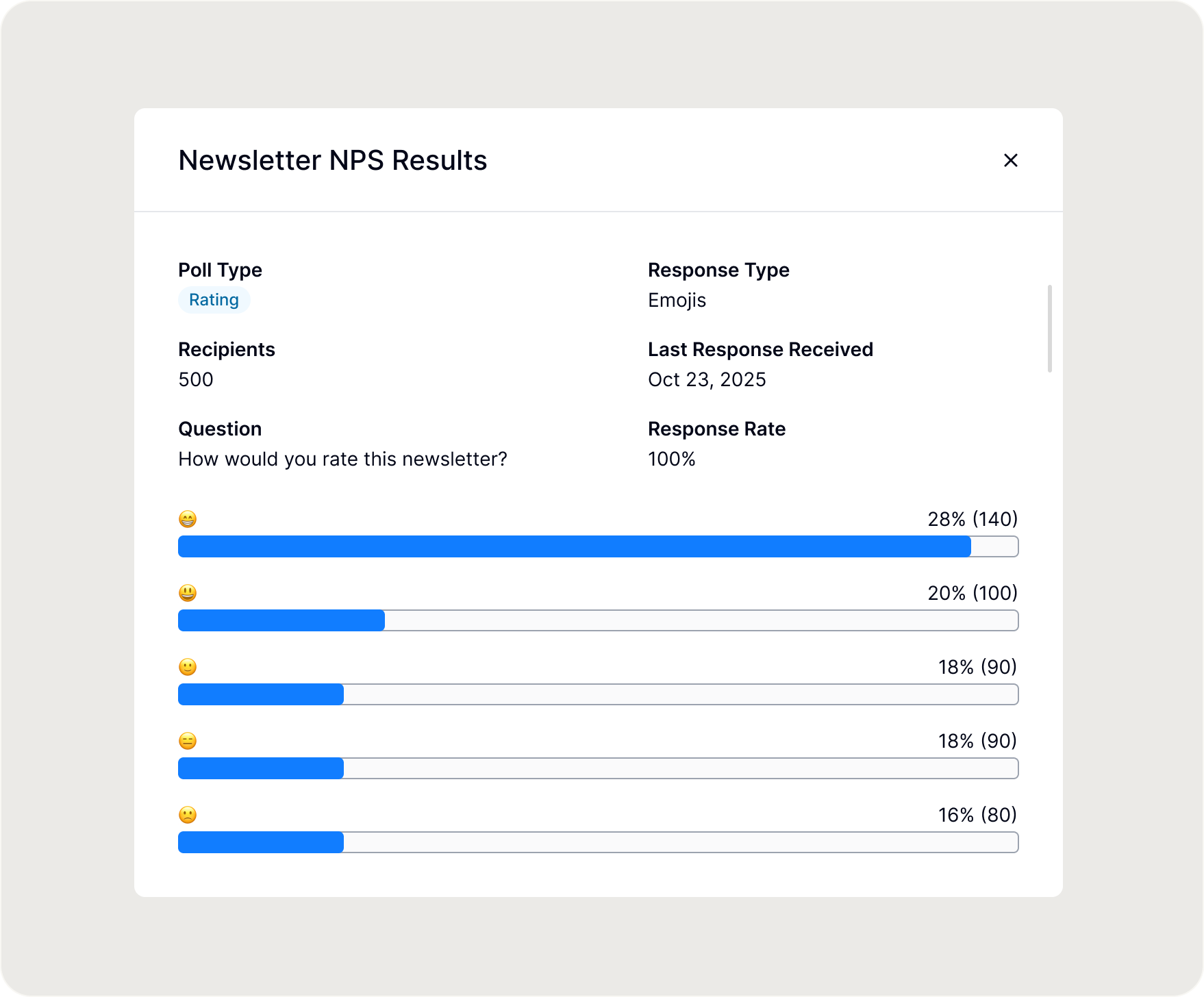
Responses automatically appear in your Letterhead dashboard and in each subscriber’s Activity Log, letting you track participation and sentiment across editions. Poll data also becomes part of each subscriber’s engagement profile, making it easier to understand reader preferences and tailor future content.
Unlocking new models of interactivity
Polls give you the kind of audience signal that usually requires a full survey tool, but in a single click, right where your readers already are. Here are a few ways teams are already using them:
- Ask quick feedback questions (“What should we cover next?”) to guide editorial planning
- Run simple sentiment checks after a major announcement or event
- Include a quiz or rating for recurring series to keep engagement high
- Collect reader preferences to power segmentation and personalization
Start adding Polls to your next newsletter, and turn every send into a conversation.